
From the Blog
How to choose a first robotics project
A practical way to choose one observable task, limit the moving parts and finish with a result you can explain.
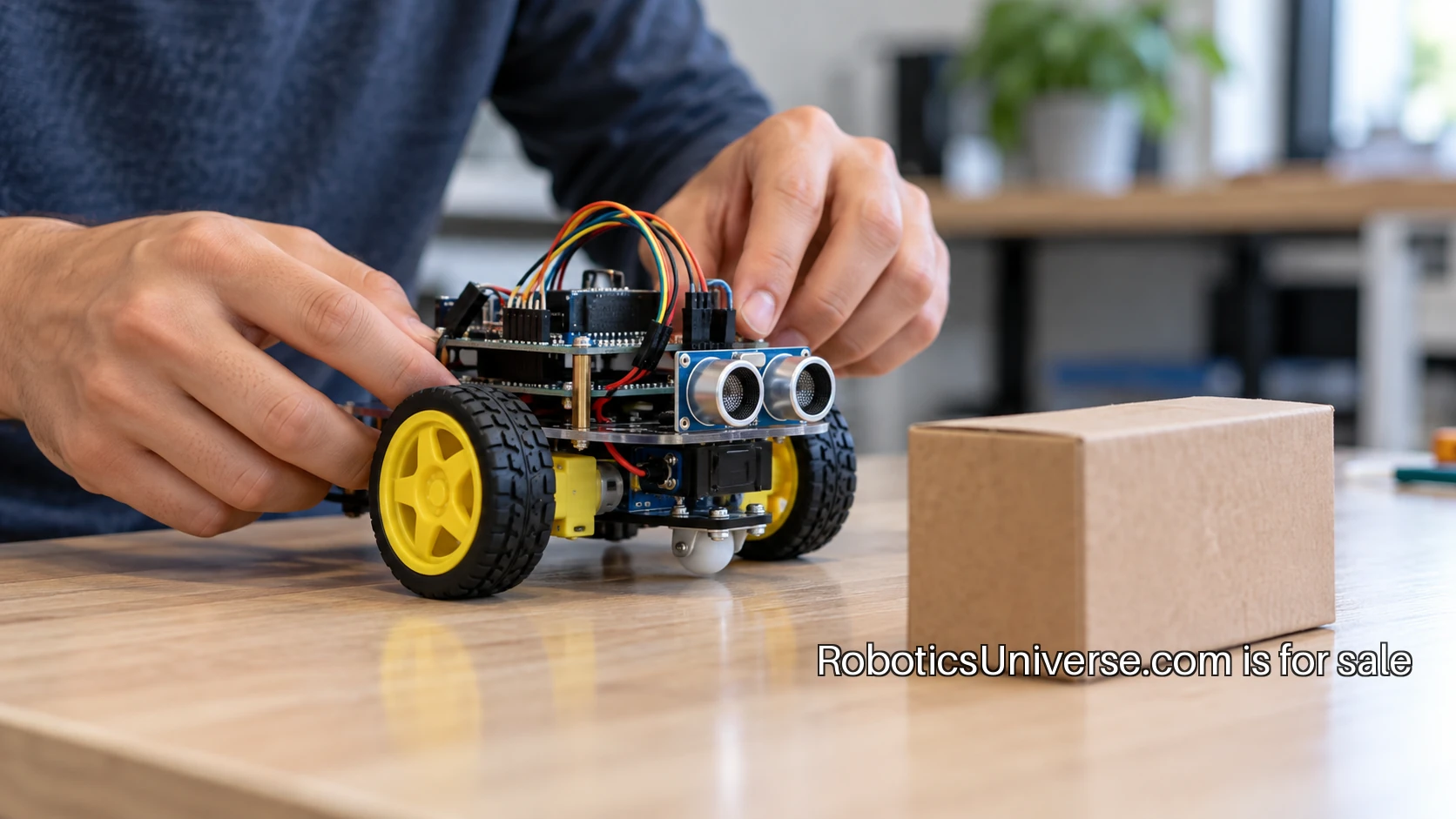
The most useful first robotics project is one you can describe without a feature list. A device follows a line. A pointer responds to a light reading. A small mechanism moves to a position when you press a button. The task is visible, the result is easy to recognize, and the first version leaves you with a question you can answer through a test.
Start there rather than with the appearance of the robot. A complicated body can hide a simple exercise under weeks of assembly. A plain bench setup can teach the connection between sensing, deciding and acting in an evening of focused work. Choose the behavior you want to understand, then choose the smallest machine that lets you see it happen.
Write the task as one sentence
Use a sentence with an input, a response and a condition. For example: when the sensor reading passes a chosen threshold, the pointer moves to a marked position. You now have something to build and something to test. You can observe the reading, change the threshold and check the movement separately.
A sentence such as “make an intelligent assistant robot” leaves too many decisions open. It introduces conversation, perception, movement, power and physical design before you have chosen which one you want to learn. Save that larger idea in a notebook, then choose one behavior from it for the first project. Finishing a small part creates a better starting point for the next part.
Choose the skill you want to leave with
A project can teach electronics assembly, programming, mechanical construction or software integration. It will touch several, but one should be the main lesson. If your goal is to understand sensor readings, a familiar board and a simple display will keep your attention on that signal. If you want to learn mechanical movement, use a straightforward input so you can study the mechanism.
Write down what you already know and what is new. You might be comfortable programming but new to wiring. You might have assembled mechanisms but never uploaded a program to a board. That list helps you choose instructions at the right level and prevents a familiar-looking project from hiding several unfamiliar tools.
Count the independent unknowns
Before buying parts, list what must work for the first demonstration. A small mobile robot may need a chassis, motors, a motor driver, power, sensors and code that coordinates them. Each item can be manageable, but each adds a place to investigate when the robot fails to move as expected.
For a first build, choose a documented combination rather than collecting attractive parts from unrelated projects. Read the full equipment list and assembly guide before ordering. Check which cables, power sources, adapters and ordinary tools the instructions assume you already have. A short preparation list can save an entire session spent discovering a missing connection.
Test an input before it controls movement
Begin with a visible reading. Change the physical input and watch the value. Arduino’s built-in examples include exercises designed around small individual behaviors. Use the relevant official guide to confirm the setup, then write down what happens when you change one thing.
Try several conditions rather than a single successful reading. Move the target nearer and farther away, or vary the light reaching the sensor. Keep a short table of the condition and the observed output. You are looking for a useful relationship, not a perfect number. That relationship will help you choose the response in the next stage.
Test the movement on its own
Next, make the output do one known action without depending on the sensor. A pointer can move between two marked positions. A motor can run in a controlled test arrangement. Use the documentation for the actual component and power setup, and keep the first movement simple enough to observe clearly.
For a servo-based exercise, Arduino’s servo guide gives a reference for the connections and an example of movement. Follow the component’s operating requirements rather than assuming every motor behaves the same way. Once the independent output test works, save that program or configuration as a known starting point you can return to.
Join the pieces with a simple decision
Now connect the measured input to the tested output. Begin with a single threshold or rule. If the reading is above the threshold, choose one state; otherwise choose the other. Make the current reading and selected state visible while you test. That gives you a way to distinguish an input problem from a decision problem or an output problem.
If the response flickers near the threshold, record what the input is doing before changing the program. You may decide to average readings, introduce a small gap between switching conditions or change the physical setup. Pick one change and repeat the same test. The point is to connect an observation with a specific adjustment you can explain.
Use simulation for a defined question
A simulation can be a useful first setting when you want to learn software structure without assembling hardware. The official ROS 2 tutorials provide an organized path through the software’s concepts. Choose a small tutorial with an observable result, then change a single behavior to check your understanding.
Keep the simulation’s job clear. It can help you understand commands, messages and the flow of a program. When you move to hardware, you will have additional questions about the physical setup. Write those as the next stage of the project rather than treating a simulated result as the end of every question.
Plan three tests before adding features
Choose a normal case, a changed starting condition and an edge case. For a sensor-controlled pointer, the normal case might begin well below the threshold. The changed condition might begin above it. The edge case might hold the input near the switching point. State the expected response before running each test.
Record the result in a plain table or notebook. Include the program version and any setup change that matters. If a result differs from the expectation, you now have a specific question to investigate. A photograph of the setup and a short clip can be more helpful than a long description reconstructed later.
Make the first finish line small
A finished first version should be easy to recognize. The device performs the chosen task, you can repeat the test, and you can explain the connection between input and response. That is a sensible moment to stop adding features and prepare a short demonstration.
Show the setup, state the task and run the three tests. Explain one problem you found and the observation that helped you solve it. Then identify one next improvement. It might be a better enclosure, a second input or a clearer display. Keeping that improvement separate lets you appreciate the completed version and begin the next one with a deliberate question.
Give the project a useful record
Save the equipment list, the working program, the setup photograph and the test notes together. Write a short readme for someone opening the folder a month later. Include how to start, what result to expect and what remains to be improved. That record is part of the build, because it lets you reproduce the work after the details have faded.
If you later publish a series or teach from the project, a consistent robotics identity can stay on the instructions while the exercises become more ambitious. RoboticsUniverse.com is offered for a founder who wants that broader home. The immediate job for a beginner remains smaller and more satisfying: choose one observable task, make it work and leave yourself a result you can explain.
A bigger world ahead